
Dark Mode Design That Doesn't Strain Your Customers' Eyes
Dark mode is easy to get wrong: white text on pure black blurs letters and tires eyes. How to pick dark colors your customers can actually read.

Most dark mode designs make one optical error: pure white text (#FFFFFF) on pure black (#000000), which causes halation, blurred letter edges and fast eye fatigue. Aura Logic uses the Accessible Perceptual Contrast Algorithm (APCA) and CIELAB color theory to build layered obsidian surfaces (#0A0A0A to #161616) with muted bone typography (#E5E5E5) and high-chroma accents, so dark mode stays comfortable to read.
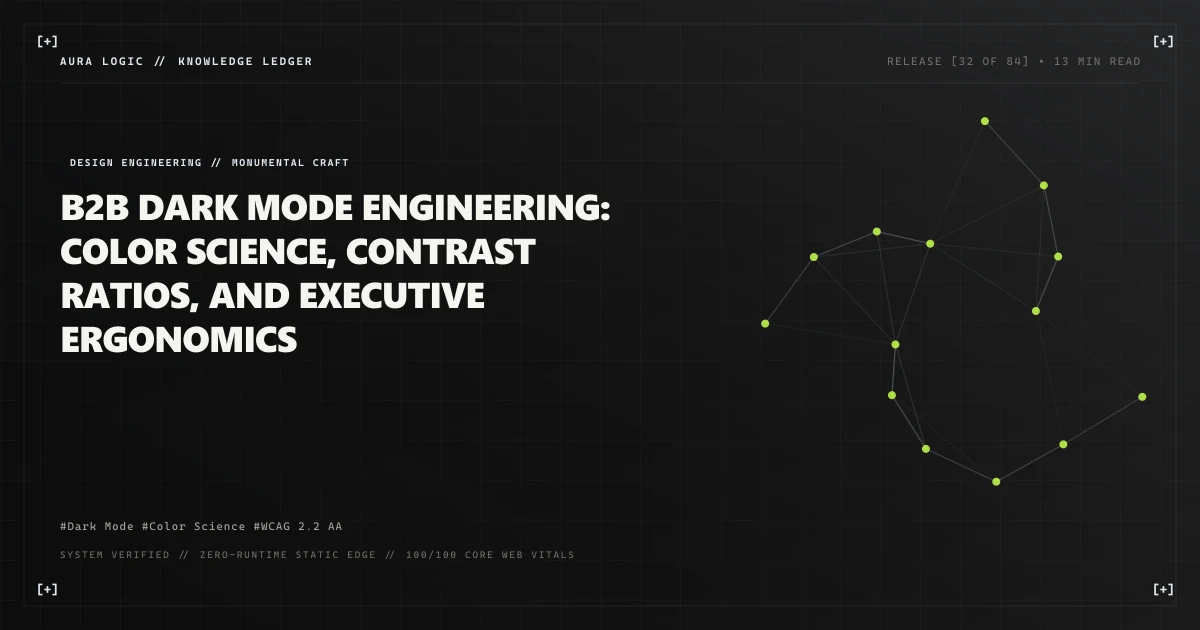
The Optics of a Website Your Customers Read at Night
If you sell a service, run a shop or run a small studio, you know the reality of your own website: someone is reading it at the end of a long day, on a phone, in a dim room, trying to decide whether to trust you with their money.
That makes the interface more than decoration. A screen someone reads for ten minutes is a cognitive environment, and the colors you choose decide whether they finish reading or give up halfway.
Most web studios approach dark mode with superficial naivety: they invert the CSS color tokens, slapping #FFFFFF body text onto a #000000 canvas.
The consequence is immediate: ocular fatigue, visual halation, and diminished information retention.
│                                                                             │
│                    THE HALATION EFFECT IN NAIVE DARK MODE                   │
│         * * * * * * * * * * * * * * * * * * * * * * * * * * * *             │
│ PURE OLED BLACK (#000000) + PURE WHITE TEXT (#FFFFFF) -> Contrast: 21:1     │
│                                                                             │
│         * * * * * * * * * * * * * * * * * * * * * * * * * * * *             │
│         *   H A L A T I O N   &   B L U R R E D   E D G E S   *             │
│         * * * * * * * * * * * * * * * * * * * * * * * * * * * *             │
│                                                                             │
│ Human Iris dilates in darkness -> Excessive light photons bleed across      │
│ retinal rods -> Letterform edges blur (Astigmatic Aberration)               │
│         * * * * * * * * * * * * * * * * * * * * * * * * * * * *             │
│ AURA LOGIC ERGONOMIC OBSIDIAN PALETTE -> APCA Perceptually Calibrated       │
│ Base Canvas: #0A0A0A | Text: #E5E5E5 (Bone) -> Contrast: 15.7:1 (AAA)       │
│ No eye strain | Crisp glyph contours | Multi-layered spatial depth          │
│                                                                             │
At Aura Logic, our dark mode architecture is founded on photometric science, retinal ergonomics, and CIELAB perceptual color spaces.
1. Why Pure Black Fails Human Vision
To understand why pure black fails on a real screen, we must examine the physiology of the human eye:
A. The Iris Dilation and Halation Phenomenon
When a user views a dark screen in ambient office lighting, the iris dilates to capture more light. If the screen displays intense #FFFFFF typography against #000000, the high concentration of photons striking the dilated retina overstimulates photoreceptor cells.
The light bleeds into adjacent retinal rods—an optical artifact known as visual halation. This is not a rare condition. A 2023 systematic review in Optometry and Vision Science puts the pooled prevalence of astigmatism in adults at 40% (95% CI 34–47%) and calls it the most common refractive error in the world; across the studies it reviewed, 28–80% of people with uncorrected astigmatism reported haloes. For a large share of your visitors, halos around light are ordinary. Google calls the screen version of the same effect pixel-bleed — small letters that “contrast too heavily and blur against a dark background” — and its dark theme guidance answers it the way we do, with a dark gray canvas rather than pure black. WCAG 2.2 puts the ceiling on contrast ratios at 21:1, which is exactly what pure white on pure black delivers.
B. The Loss of Spatial Elevation and Depth
In physical architecture and interface design, depth is communicated through elevation and light interaction. In a pure #000000 environment, you cannot render shadows—a black shadow on a black background is invisible.
To create visual hierarchy between a base page, a hover state, and a modal card, engineers are forced to introduce heavy border lines, creating a cluttered, amateurish “wireframe” aesthetic.
2. The Aura Logic Obsidian Elevation System
To achieve effortless legibility and spatial depth, Aura Logic utilizes a multi-tiered Obsidian Surface Architecture.
Instead of absolute black, our lowest base layer sits at a lightness of 4% in HSL (#0A0A0A), which is a CIELAB L* of about 3, layered with subtle neutral gray steps:
┌───────────┬──────────┬───────────────┬───────────────────────────────────────┐
│ ELEVATION │ HEX CODE │ HSL VALUE     │ ARCHITECTURAL ROLE                    │
├───────────┼──────────┼───────────────┼───────────────────────────────────────┤
│ Level 0   │ #0A0A0A  │ hsl(0,0%,4%)  │ Viewport Root Canvas (Background)     │
│ Level 1   │ #111111  │ hsl(0,0%,7%)  │  Structural Grids, Section Dividers   │
│ Level 2   │ #161616  │ hsl(0,0%,9%)  │ Resting Cards, Inactive Panels        │
│ Level 3   │ #1F1F1F  │ hsl(0,0%,12%) │  Hovered Cards, Interactive Islands   │
│ Level 4   │ #282828  │ hsl(0,0%,16%) │ Active Modals, Dropdown Overlays      │
└───────────┴──────────┴───────────────┴───────────────────────────────────────┘
By elevating interactive components through subtle lightness steps rather than harsh borders, the interface achieves a luxurious, tactile dimensionality reminiscent of precision aerospace instrumentation.
3. Typographic Hierarchy and Bone Tinting
Just as the canvas must avoid pure black, typography must avoid pure white. Thomas Steiner’s prefers-color-scheme write-up argues the same case for the type: against a dark canvas, pure white is not a neutral choice, it glows.
At Aura Logic, primary body text is set to #E5E5E5 (Bone White) or #EDEDED, while secondary metadata is set to #888888 (Muted Steel).
:root {
  /* Surface Tokens */
  --surface-canvas: #0A0A0A;
  --surface-subtle: #111111;
  --surface-card: #161616;
  --surface-hover: #1F1F1F;
  --surface-overlay: #282828;

  /* Typographic Tokens */
  --text-primary: #EDEDED;    /* 16.9:1 contrast on canvas (APCA Lc 96) */
  --text-secondary: #A0A0A0;  /* 7.6:1 contrast (WCAG AAA compliant) */
  --text-tertiary: #6E6E6E;   /* 3.9:1 contrast (WCAG AA for large text) */

  /* High-Chroma Kinetic Accents */
  --accent-acid: #A3FF20;     /* Electric Volt - High-Velocity CTA */
  --accent-cyan: #00F0FF;     /* Hyper Cyan - Technical Telemetry */
  --accent-border: rgba(255, 255, 255, 0.08);
}
Contrast Validation: WCAG 2.2 vs. APCA
WCAG 2.2 requires a 4.5:1 contrast ratio for normal text and 3:1 for large text, with 7:1 for normal text at the stricter AAA level. None of those numbers were written for dark interfaces: the APCA guidance states plainly that “WCAG 2.x contrast cannot be used for guidance designing ‘dark mode’”.
Under the Accessible Perceptual Contrast Algorithm (APCA), measured with the 0.1.7 equation published in the APCA Readability Criterion (light text on a dark canvas is recorded as a negative value, so the level quoted here is the magnitude):
--text-primary(#EDEDED) on the#0A0A0Acanvas scores Lc 96, above the Lc 90 that APCA prefers for fluent body text and well clear of the Lc 75 minimum for body-text columns.--text-secondary(#A0A0A0) scores Lc 51, below the Lc 60 minimum APCA recommends for content text, which is why we keep it strictly for metadata that is not content.
4. The Strategic Psychology of Acid Accents
A monochromatic obsidian palette creates immense focus and authority, but without intentional color anchors, user engagement can drift.
Aura Logic introduces high-chroma, narrow-spectrum kinetic accents to guide the eye:
- Electric Acid Lime (
#A3FF20): Positioned exclusively on primary commercial conversion triggers (e.g., “COMMISSION THIS SERVICE ↗”, “SUBMIT INQUIRY”). The human eye is most sensitive to green-yellow light, so a single accent of this colour reads as a signal without needing a label. - Sub-Surface Glassmorphism: For card boundaries, we replace solid borders with translucent linear gradient borders:
.luxury-card {
  background: var(--surface-card);
  border: 1px solid rgba(255, 255, 255, 0.07);
  backdrop-filter: blur(12px);
  transition: border-color 0.25s cubic-bezier(0.16, 1, 0.3, 1),
              transform 0.25s cubic-bezier(0.16, 1, 0.3, 1);
}

.luxury-card:hover {
  background: var(--surface-hover);
  border-color: rgba(163, 255, 32, 0.35); /* Subtle Acid Lime Glow */
}
5. The Business Value of Ergonomics
When a customer opens your site at night and reads to the end, subconscious comfort turns directly into trust:
- Extended Session Duration: Removing the vibration of pure white on pure black makes a long page easier to stay with, so more visitors reach the end of it.
- Perceived Brand Authority: Deep obsidian palettes communicate engineering mastery, technical sophistication, and disciplined restraint—separating your business from the generic SaaS template that every competitor nearby is also using.
- Universal Accessibility: Meeting WCAG 2.2 AA and measuring dark-mode contrast with APCA is the floor, not the finish line, and it is what keeps a visitor with low vision or astigmatism from squinting at your page. It is not, on its own, a shield against accessibility litigation.
Frequently Addressed Technical Inquiries
Why is pure black (#000000) considered an anti-pattern for web dark modes? [+]
Pure black backgrounds create an unnatural, infinite contrast ratio against white text that causes visual halation (light bleeding around letterforms) and increases eye strain, particularly for users with astigmatism, whose pooled adult prevalence a systematic review puts at 40%. Additionally, pure black destroys visual hierarchy, making it impossible to use subtle drop shadows or surface elevation tints to convey depth.
What is the Accessible Perceptual Contrast Algorithm (APCA)? [+]
APCA is the modern contrast calculation model slated for WCAG 3. Unlike WCAG 2.1's linear contrast ratio (which calculates mathematical luminance without considering human visual biology), APCA accounts for spatial frequency, font weight, background adaptation, and ambient lighting, accurately modeling how the human eye perceives readability.
How does dark mode impact energy consumption on mobile OLED displays? [+]
On OLED and AMOLED displays, individual subpixels emit their own light and consume power proportional to their brightness, so a dark interface with few large bright areas draws less power than a white one and can extend battery life during mobile use. The saving is not a fixed percentage: it depends on the content, the screen and how bright the rest of the interface is, and on LCD panels the effect is much smaller.
Sources
- [1] Web Content Accessibility Guidelines (WCAG) 2.2 | W3C Verifies the contrast figures this article quotes: 4.5:1 for normal text and 3:1 for large text at level AA, 7:1 for normal text at level AAA, the definition of a contrast ratio as (L1 + 0.05) / (L2 + 0.05), and the note that contrast ratios range from 1 to 21.
- [2] APCA in a Nutshell | Accessible Perceptual Contrast Algorithm Verifies the APCA thresholds used in the contrast validation section: Lc 90 is the preferred level for fluent body text, Lc 75 the minimum for body-text columns, Lc 60 the minimum for content text, and the statement that WCAG 2.x contrast cannot be used for guidance designing dark mode.
- [3] Visual Readability Contrast | APCA Readability Criterion Verifies the APCA 0.1.7 contrast equation and its constants, the published model used to calculate the Lc values quoted for this palette: the sRGB luminance weighting, the soft black clamp, the polarity exponents and the published LoB/LoW offsets.
- [4] Epidemiology and Burden of Astigmatism: A Systematic Literature Review | Optometry and Vision Science Verifies the astigmatism figures this article quotes: a pooled adult prevalence of 40% (95% CI 34-47%), astigmatism identified as the most common refractive error, and haloes reported by 28-80% of people with uncorrected astigmatism across the studies reviewed.
- [5] Into the Dark | Material Design's Color Palette Verifies the pixel-bleed description and its remedy: Material Design's dark theme guidance renders the background in a dark gray rather than pure black so that light gray text reads clearly with minimal vibration.
- [6] prefers-color-scheme: Hello darkness, my old friend | web.dev Verifies the off-white text recommendation behind this palette's bone typography: Thomas Steiner avoids pure white because he chooses a slightly darker white to prevent glowing and bleeding against the surrounding dark content.
Related articles
Brand Dignity in the Era of Synthetic Slop: How to Stand Out
Why AI-made websites all look the same, and how a small business shows real craft with original design, honest words and a site it controls.
Building Trust on Your Website Without Fake Logos
Replace star ratings and fake press logos with named ownership, real numbers and documented work, so customers trust your business enough to enquire.
Make Your Website Accessible and Reach More Customers
Make your business website usable for more customers, reduce ADA legal risk, and structure your pages so AI search engines can read them.
WANT IT REVIEWED FOR YOUR BUSINESS?
The above is general. Tell me about your business and I will review business websites for your case: what applies, what does not, and in what order.
Business websites ↗TELL US ABOUT
YOUR BUSINESS.
Tell us what your business does, what you need and your approximate budget. We will review the scope and next steps with you.
READY TO IMPROVE YOUR WEBSITE?
Describe what you want your website to do for your business. Jorge will help you define the scope, understand the cost and choose the next step.